

An easy guide to image resolution, viewing distance and preparing artwork for large-format advertising.
You’ve booked a 10-metre billboard, and the production team requests artwork at 300 DPI.
Does that mean you need an image almost 120,000 pixels wide?
Technically, yes, if they mean 300 pixels per inch at actual print size. But is that really necessary?
There’s no single resolution requirement for every billboard. The appropriate resolution depends on the viewing conditions, image quality and print supplier’s specifications.
1. Bigger doesn’t always mean higher resolution
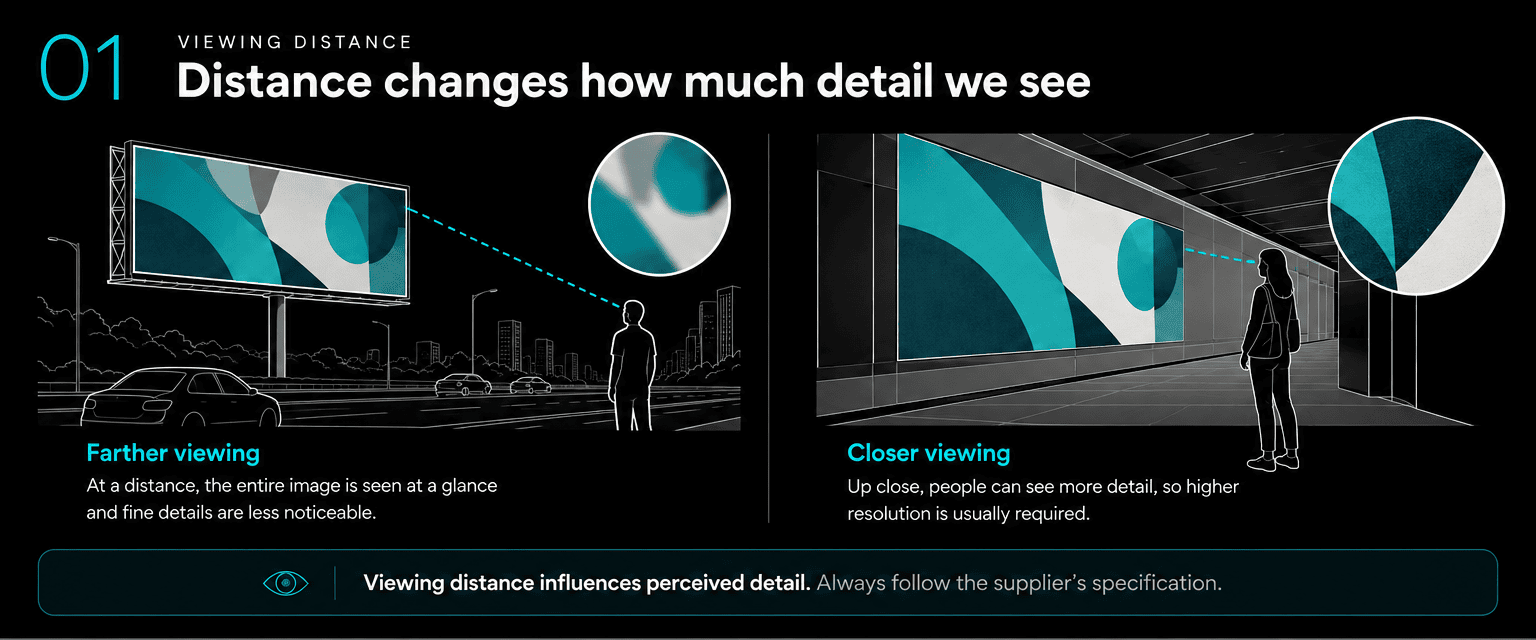
A roadside billboard viewed from across an expressway is very different from a large advertisement alongside an MRT walkway or shopping mall escalator.
People may see the roadside billboard from tens of metres away, while commuters can pass within a short distance of a wall-sized advertisement.
At greater viewing distances, fine image details become harder to distinguish. This means a distant billboard can often appear sharp at a lower resolution than an advertisement designed for close viewing.
The important question isn’t just how big the artwork is, but how closely people will see it.
2. Understanding PPI, DPI and artwork scale
PPI (pixels per inch) describes how densely image pixels are reproduced in print.
DPI (dots per inch) describes a printer’s output dots.
Although different, the terms are often used interchangeably in production briefs.
How many pixels does a 5 m or 10 m print need?
| Resolution at actual size | 5 m wide | 10 m wide |
|---|---|---|
| 30 PPI | 5,906 px | 11,811 px |
| 50 PPI | 9,843 px | 19,685 px |
| 100 PPI | 19,685 px | 39,370 px |
| 300 PPI | 59,055 px | 118,110 px |
These figures illustrate the calculations, not recommended resolutions for every placement.
At identical print dimensions, 300 PPI contains nine times as many pixels as 100 PPI. That can mean significantly larger files without necessarily producing a noticeable improvement at the intended viewing distance.
What does 300 PPI at 1:10 scale mean?
Large-format artwork is sometimes supplied at reduced physical dimensions.
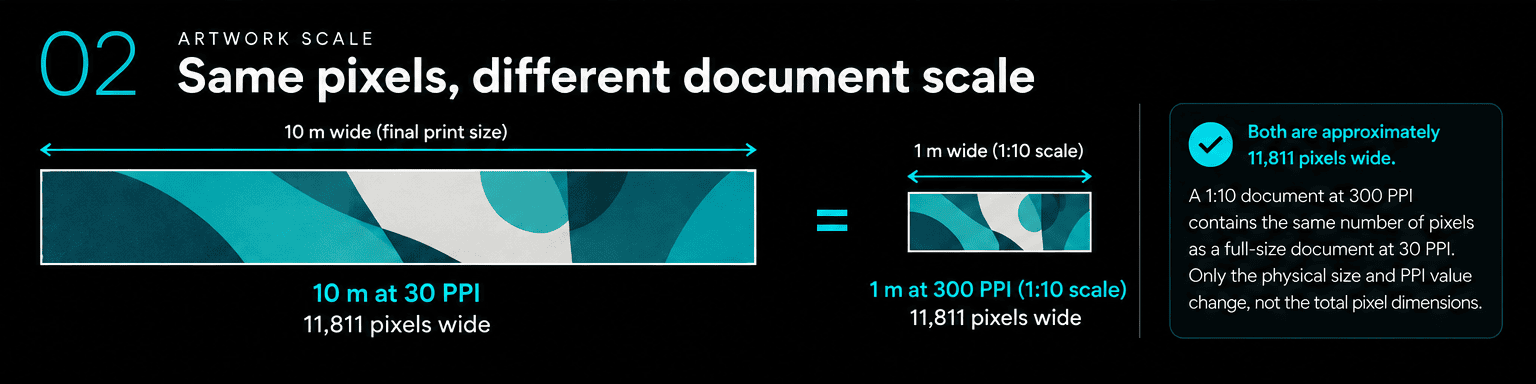
For example, a 10 m-wide billboard may be prepared as a 1 m-wide document at 300 PPI.
When enlarged to the final 10 m width, its effective resolution becomes 30 PPI.
1 m at 300 PPI = 10 m at 30 PPI
Both contain approximately 11,811 pixels across.
Preparing artwork at reduced scale doesn’t automatically reduce its pixel count or memory requirements.
3. Can AI upscaling help?
Yes. AI upscaling can help when the original image doesn’t contain enough pixels for the required output.
It can enhance textures and generate additional detail, but it may also introduce inaccuracies in faces, products, clothing or fine patterns.
That’s why AI-assisted enlargement often benefits from careful retouching and visual inspection.
More pixels don’t always mean more accurate photographic detail.
4. What should producers confirm before requesting artwork?
Before asking for maximum-resolution files, obtain the production specifications for the booked placement.
A quick checklist:
- Final print dimensions, including bleed.
- Required resolution and artwork scale.
- Visible and safe areas.
- Colour profile and file format.
- Any additional print or digital adaptations.
An editable working master and a print-ready deliverable don’t necessarily need to be identical files. The final deliverable should meet the agreed supplier requirements.
The takeaway
A 5 m or 10 m billboard doesn’t automatically need 300 PPI at actual size.
The resolution required depends on the placement, how closely the artwork will be viewed and the printer’s specifications.
Rather than requesting the largest possible file, start by finding out what the final artwork actually needs.